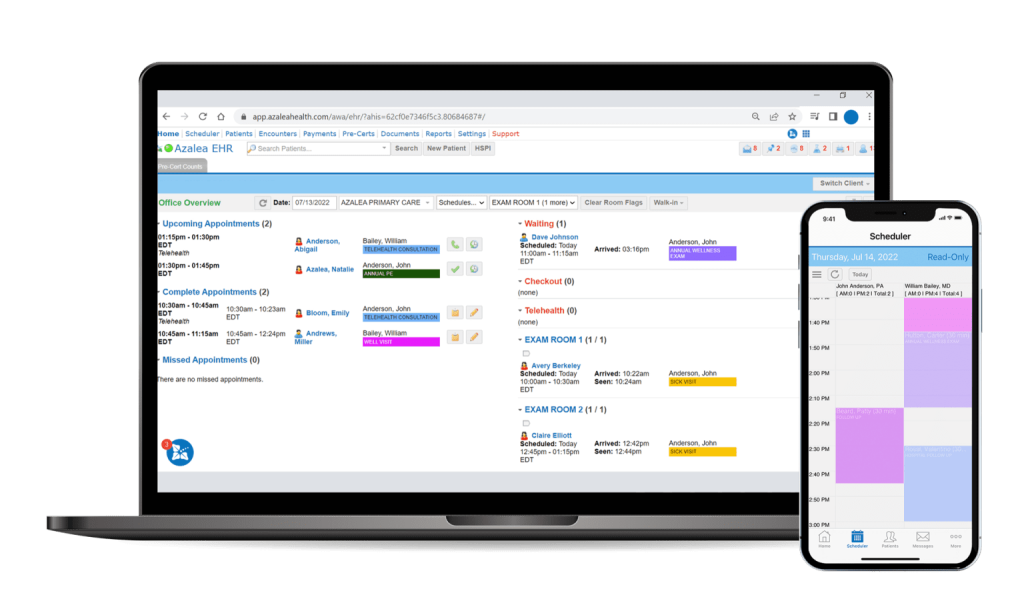


Interested in learning more about Meaningful Use and MDsuite?

The table below demonstrates how each measure was created to carefully meet goverment goals while keeping real clinical workflow in the forefront of our minds.

MDsuite Product Specialists will assist each of our clients with understanding and navigating their meaningful use "path".

Requirements:

  • All Core Measures (15)
  • Five Menu Measures (*One measure must be selected from the public health menu set.)
Set Stage 1 Objective Stage 1 Measure Reporting Type MDsuite Certified
Core 1 Use CPOE for medication orders directly entered by any licensed healthcare professional who can enter orders into the medical record per state, local, and professional guidelines More than 30% of unique patients with at least one medication in their medication list seen by the Eligible Professional (EP) have at least one medication entered using CPOE MDsuite generates ratio


   Preview
MDsuite allows for multiple workflows for entering electronic prescriptions. In the screen shot to the left, you can see where prescriptions are entered during an encounter. The provider can transmit and send the prescriptions or clinical staff can finish up the order saving the doctor time.
Core 2 Implement drug-drug and drug-allergy interaction checks The EP has enabled this functionality for the entire EHR reporting period Yes/No Attestation


   Preview
MDsuite automatically checks interactions before any orders are sent, immunizations are performed, and medications are prescribed. The provider can override interactions if needed based on her/his expert opinion. Users can also choose to check for interactions at any point during an encounter.
Core 3 Maintain up-to-date problem list of current and active diagnoses More than 80% of all unique patients seen by the EP have at least one entry or an indication that no problems are known for the patient recorded as structured data MDsuite generates ratio


   Preview
Saving you time, MDsuite's problem list is automatically built as you document patient encounters. You can also manually add problems that existed prior to using MDsuite or prior to your care for the patient. Each problem can be individually managed with a comment, resolution date, and order on the list.  Users can choose to hide or show resolved problems or start an assessment and plan right from the problem list!
Core 4 Generate and transmit permissible prescriptions electronically (eRx) More than 40% of all permissible prescriptions written by the EP are transmitted electronically using certified EHR technology MDsuite generates ratio


   Preview
Users can prescribe from the encounter or outside of the encounter, easily and quickly. Each prescriber can build a list of commonly used meds and sigs to cut down on time. Electronic Prescriptions can also be included in "Order Sets", a frequently used group of prescriptions, educational documents, procedures, immunizations, follow-up or referral orders. Practices using MDsuite to prescribe love the benefits!
Core 5 Maintain active medication list More than 80% of all unique patients seen by the EP have at least one entry (or an indication that the patient is not currently prescribed any medication) recorded as structured data MDsuite generates ratio


   Preview
Current Medications can be manually added or imported from a service called RxHub. RxHub collects and stores prescription information for each patient when insurance is used. This information is available to you for review and importing when MDsuite finds a match on RxHub. Also, once you prescribe a medication, it is automatically added to the patient's current medication list.
Core 6 Maintain active medication allergy list More than 80% of all unique patents seen by the EP have at least one entry (or an indication that the patient has no known medication allergies) recorded as structured data MDsuite generates ratio


   Preview
Any allergy can be added in MDsuite. There is a common allergy list you can quickly select from or indicate no known allergies or no known drug allergies. If you cannot find the allergy in the database then you can enter the allergy in a free-form text field to add it to the list. Each allergy has an associated severity and note.
Core 7 Record demographics: preferred language, gender, race, ethnicity, and date of birth More than 50% of all unique patients seen by the EP have demographics as recorded structured data MDsuite generates ratio


   Preview
In addition to those required for Meaningful Use, MDsuite has many fields allowing for flexibility in creating custom reports and clinical decision rules. We also allow you to create your own section within demographics with custom fields your office specifically might need. The options are endless!
Core 8 Record and chart vital signs: height, weight, blood pressure, calculate and display BMI, plot and display growth charts for children 2-20 years, including BMI For more than 50% of all unique patients age 2 and over seen by the EP, height, weight, and blood pressure are recorded as structured data MDsuite generates ratio


   Preview
MDsuite has many vital signs and we can add any that you need that are specialty specific. Vital Signs are automatically displayed in both metric and standard measurements. BMI is one example of a vital sign that MDsuite automatically calculates based on other vital signs you enter.
MDsuite will automatically display the applicable CDC Growth Charts based on age. Vital signs you have entered will overlay the graph so you can visually see the comparison. Growth charts are available during an encounter and also from the patient's chart.
Core 9 Record smoking status for patients 13 years old or older More than 50% of all unique patients 13 years or older seen by the EP have smoking status recorded as structured data MDsuite generates ratio


   Preview
A patient's smoking status can be entered into MDsuite in the Vital Sign screen or as part of a customized Flow Sheet. The smoking status is retained from encounter to encounter so it only needs to be updated if the patient's smoking behavior changes.
Core 10 Report clinical quality measures to CMS or the States For 2011, provide aggregate numerator, denominator, and exclusions through attestation; For 2012, electronically submit clinical quality measures MDsuite generates data and is reported through attestation


   Preview
CMS has determined a list of Quality Measures which EPs are required to report.  MDsuite comes with these measures.  Each EP can select which measures they would like to see as Clinical Alerts and those they would like to report yearly.
Core 11 Implement one clinical decision support rule and the ability to track compliance with the rule Implement one clinical decision support rule Yes/No Attestation


   Preview
In MDsuite, you have the ability to create almost any clinical decision rule you would like to implement. In the encounter and the chart, small red alerts will appear if the decision rule applies to the patient. MDsuite can generate a list of patients based on a selected clinical rule enabling the office to reach out to their patients. Based on a selected decision rule, MDsuite can send secure HIPAA compliant messages to all patients using MDsuite's Patient Portal.
Core 12 Provide patients with an electronic copy of their health information (including diagnostic test results, problem list, medication lists, medication allergies, discharge summary, procedures), upon request More than 50% of all unique patients of the EP, who request an electronic copy of their health information are provided it within 3 business days MDsuite generates ratio


   Preview
With the click of one button MDsuite generates a pdf of your patient's health information. You can print the pdf, save it, or export the information in an electronic format. MDsuite will also help track these requests for information made by patients so you can report it to CMS since this is a meaningful use requirement.
Core 13 Provide clinical summaries for each office visit Clinical summaries provided to patients for more than 50% of all office visits within 3 business days MDsuite generates ratio


   Preview
After an encounter, you can generate a Visit Summary in one click. This summary can be printed, saved or exported to an electronic format. The Visit Summary is customizable per provider to display the information the provider would like. In additional to clinical information, you can also display demographics, future appointments, and the patient's balance with payments.
Core 14 Capability to exchange key clinical information (ex:problem list, medication list, medication allergies, diagnostic test results), among providers of care and patient authorized entities electronically Performed at least one test of the certified EHR technology’s capacity to electronically exchange key clinical information Yes/No Attestation


   Preview
MDsuite allows you to easily export a patient's clinical information in a secured encrypted electronic format. You are able to send this file to other providers using MDsuite or any other Certified EMR since the file is in a standard format. This measure is just requiring that you attempt at least one exchange; DSI will assist you with the test.
Core 15 Protect electronic health information created or maintained by certified EHR technology through the implementation of appropriate technical capabilities Conduct or review a security risk analysis per 45 CFR 164.308(a)(1) and implement updates as necessary and correct identified security deficiencies as part of the EP’s risk management process Yes/No Attestation


   Preview
Data Strategies has implemented and met the requirements for Certified EMRs. Examples of a few of these safety measures are shown to the left: recording and tracking emergency access of a patient's chart, logging every user's interaction with the EMR, and auto log out of MDsuite after a period of inactivity. Each practice also has a responsibility to ensure that their staff and other EMR protocols are HIPAA compliant.
Menu 1 Implement drug-formulary checks The EP has enabled this functionality and has access to at least one internal or external drug formulary for the entire EHR reporting period Yes/No Attestation


   Preview
Details Coming Soon
Menu 2 Incorporate clinical lab-test results into certified EHR technology as structured data More than 40% of all clinical lab test results ordered by the EP for patients admitted during the EHR reporting period whose results are either in a positive/negative or numerical format are incorporated in certified EHR technology as structured data MDsuite generates ratio


   Preview
Details Coming Soon
Menu 3 Generate lists of patients by specific conditions to use for quality improvement, reduction of disparities, research or outreach Generate at least one report listing patients of the EP with a specific condition Yes/No Attestation


   Preview
Details Coming Soon
Menu 4 Send reminders to patients per patient preference for preventive/follow-up care More than 20% of all unique patients 65 years or older or 5 years old or younger were sent an appropriate reminder during the EHR reporting period MDsuite generates ratio


   Preview
Details Coming Soon
Menu 5 Provide patients with timely electronic access to their health information (including lab results, problem list, medication lists, medication allergies) within 4 business days of the information being available to the EP More than 10% of all unique patients seen by the EP are provided timely (available to the patient within 4 business days of being updated in the certified EHR technology) electronic access to their health information subject to the EP’s discretion to withhold certain information (i.e. patient portal or PHR) MDsuite generates ratio


   Preview
Details Coming Soon
Menu 6 Use certified EHR technology to identify patient-specific education resources and provide those resources to the patient, if appropriate More than 10% of all unique patients seen by the EP are provided patient-specific education resources MDsuite generates ratio


   Preview
Details Coming Soon
Menu 7 The EP who receives a patient from another setting of care or provider of care or believes an encounter is relevant should perform medication reconciliation The EP performs medication reconciliation for more than 50% of transitions of care in which the patient is transitioned into the care of the EP MDsuite generates ratio


   Preview
Details Coming Soon
Menu 8 The EP who receives a patient from another setting of care or provider of care or refers their patient to another provider of care should provide a summary of care record for each transition of care or referral The EP who transitions or refers their patient to another setting of care or provider of care provides a summary of care record for more than 50% of transitions of care and referrals MDsuite generates ratio


   Preview
Details Coming Soon
Menu 9* Capability to submit electronic data to immunization registries or Immunization Information Systems and actual submission in accordance with applicable law and practice Capability to submit electronic data to immunization registries or Immunization Information Systems and actual submission in accordance with applicable law and practice Yes/No Attestation


   Preview
Details Coming Soon
Menu 10* Capability to submit electronic syndromic surveillance data to public health agencies and actual submission in accordance with applicable law and practice Capability to submit electronic syndromic surveillance data to public health agencies and actual submission in accordance with applicable law and practice Yes/No Attestation


   Preview
Details Coming Soon